How to Set Up a Charging Station for Your Devices at Home

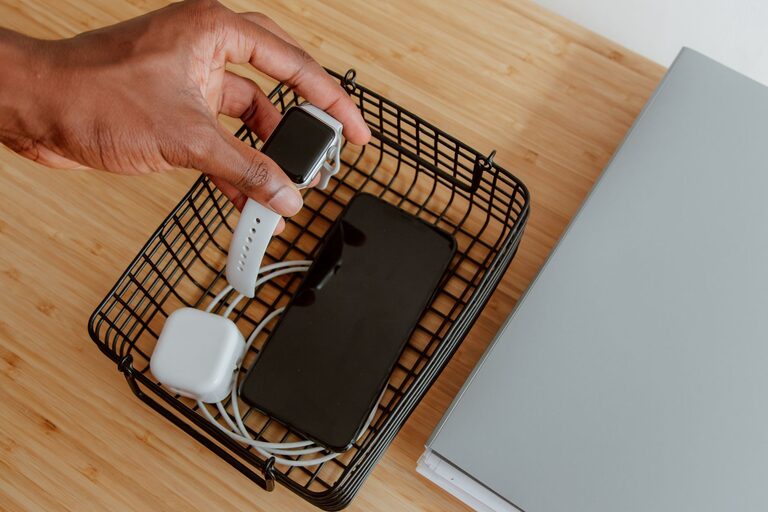
Setting up a charging station at home is a great way to keep your devices organized, fully powered, and easy to find. Whether you have smartphones, tablets, smartwatches, or other rechargeable gadgets, a dedicated charging area can help reduce clutter and make charging hassle-free. In this guide, we’ll walk you through the practical steps to create a neat and efficient charging station that suits your needs.
Why Set Up a Charging Station?
Devices with rechargeable batteries have become essential in daily life. However, managing multiple chargers and cables can quickly get messy. A charging station offers several benefits:
– Organization: Keep all devices and chargers in one place.
– Safety: Avoid tangled cables and reduce the risk of tripping.
– Efficiency: Charge multiple devices at once without searching for chargers.
– Convenience: Know exactly where to find your devices when you need them.
Now, let’s explore how to set up your own charging station.
Step 1: Choose the Right Location
Begin by selecting a convenient spot for your charging station. Consider these factors:
– Accessibility: Pick an area that everyone in the household uses often, such as a living room corner, kitchen counter, or desk.
– Power outlets: Ensure there are enough electrical outlets nearby to support multiple chargers or a charging hub.
– Safety: Avoid placing the station near water sources or areas with extreme temperatures.
A flat surface with enough space to hold your devices comfortably is ideal.
Step 2: Pick the Charging Equipment
Choosing the right chargers and accessories is key to a smooth setup.
Charging Hubs and Stations
– Multi-port USB chargers: These devices allow you to plug many USB cables into a single unit, reducing the number of wall adapters.
– Wireless charging pads: If your devices support wireless charging, a pad can reduce cable clutter.
– Charging docks: Some brands offer docks designed to hold and charge devices securely.
Cables and Adapters
– Use cables that fit your devices and are of good quality.
– Consider cables of different lengths to keep things tidy.
– Label cables if many people use the station to avoid confusion.
Power Strips and Surge Protectors
– Use a power strip with surge protection to safeguard your devices from electrical spikes.
– Ensure it supports enough outlets for your setup.
Step 3: Organize Cables and Devices
A clutter-free charging station looks better and functions more smoothly.
Cable Management Tips
– Use cable ties or Velcro straps to bundle excess cable length.
– Cable clips or holders can keep cables attached to the surface, preventing them from falling.
– Cable sleeves can group multiple cables into a neat bundle.
– Position cables so they are easy to plug and unplug but don’t create a tangled mess.
Device Placement
– Arrange devices so their screens are visible for notifications while charging.
– Use holders, stands, or trays to keep devices upright and secure.
– Keep heavier or larger devices at the back, with smaller ones in front for easy access.
Step 4: Add Personal Touches and Safety Features
Make your charging station a pleasant and safe spot.
– Add a small lamp or LED light for visibility at night.
– Place a small basket or tray nearby for device accessories like earbuds or charging bricks.
– Keep liquids away from the station to prevent accidents.
– Regularly check cords and chargers for wear and tear, replacing any damaged items.
Step 5: Maintain Your Charging Station
To keep your setup effective:
– Declutter regularly by removing unused cables and devices.
– Clean the area to prevent dust buildup, which can affect chargers.
– Update cables and chargers as your device needs change.
Bonus Tips
– For families, assign each person a specific charging cable color or slot.
– If space is limited, consider wall-mounted charging organizers.
– Label each charging port if using a hub to simplify device connections.
Conclusion
Setting up a dedicated charging station for your devices is a simple project that brings order and convenience to your daily life. By choosing the right location, equipment, and organizing your cables and devices thoughtfully, you’ll enjoy a clutter-free space where all your gadgets stay powered and ready to use. Start small, customize the setup to your needs, and keep it maintained to make the most of your charging station.
Happy charging!